
In today’s digital age, a reliable and fast internet connection is essential for both businesses and homes. However, even the best connections can experience occasional dropouts, slow speeds or connectivity issues. Before contacting your internet service provider’s support team, there is a simple troubleshooting step you can try: power cycling your modem or router.
Power cycling can often resolve temporary connection issues and get your internet working again without the need for further troubleshooting. In this guide, we’ll explain what power cycling does, how to do it and when you should try it.
FibreMax is an Australian-owned internet provider offering Fibre Internet, NBN plans and VoIP services, backed by dedicated customer support.
Should You Power Cycle Your Modem?
The short answer is yes. Power cycling your modem is often one of the first troubleshooting steps recommended by internet support teams when you experience connection problems.
For example, power cycling can help resolve:
- Slow or inconsistent internet speeds
- Intermittent connectivity
- Temporary connection dropouts
- Devices that cannot connect to the internet
- Minor network or modem glitches
Essentially, power cycling involves turning your modem off, waiting for a short period and then turning it back on. As a result, the modem gets a fresh start and can re-establish its connection to the network.
How Do You Power Cycle a Modem?
Power cycling a modem is quick and straightforward. Follow these steps:
- Locate the power cable connected to your modem.
- Disconnect the power cable from the modem or unplug it from the power outlet.
- Wait for at least 30 seconds.
- Reconnect the power cable or plug it back into the power outlet.
- Allow the modem several minutes to fully restart and establish an internet connection.
- Check your devices to confirm that your internet connection is working normally.
Tip: Avoid switching the modem on and off repeatedly. Give it enough time to complete the restart and reconnect to the network.
What Happens When You Power Cycle a Router?
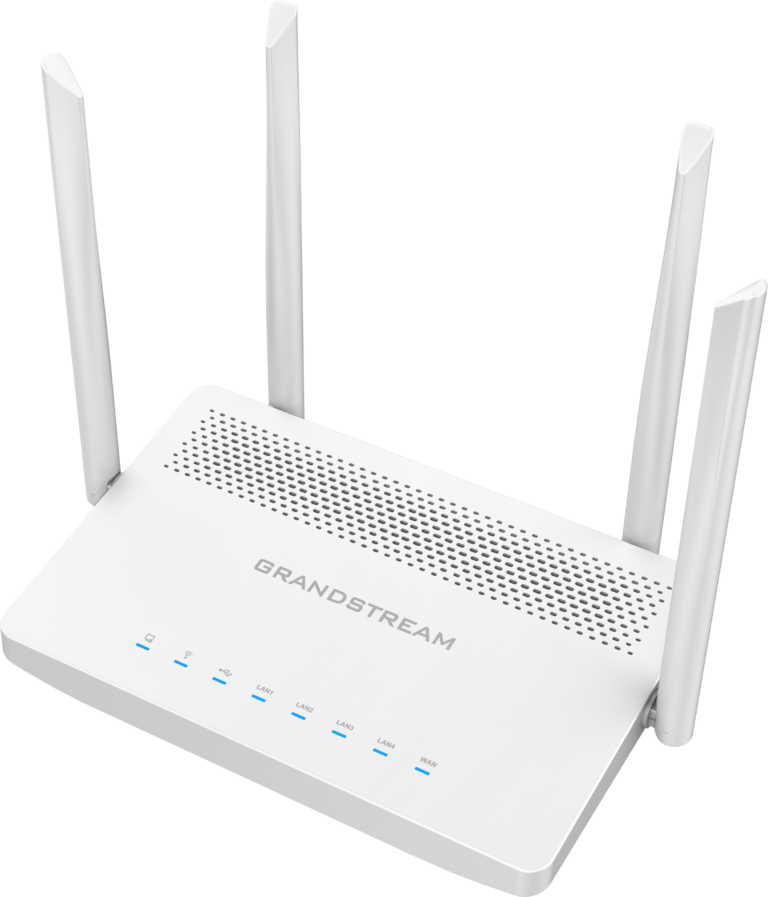
A router works alongside your modem or NBN connection to distribute your internet connection to multiple devices. Therefore, restarting your router can also help resolve temporary network issues.
When you power cycle a router, it can clear temporary network problems, refresh its connection and allow connected devices to reconnect. If several devices are experiencing connectivity problems at the same time, restarting the router may help.
If your setup includes both a modem and router, you can power cycle both devices. First, switch off the modem or NBN connection box. Then, switch off the router. After waiting around 30 seconds, turn the modem or NBN connection box back on and allow it to reconnect. Finally, turn the router back on.
How Do I Power Cycle My NBN Connection Box?
If you use an NBN connection, you may have an NBN connection box installed at your premises. Power cycling the connection box can be a useful troubleshooting step when your service is not working as expected.
Here’s how to do it:
- Locate your NBN connection box.
- Disconnect its power cable.
- Wait for approximately 30 seconds.
- Reconnect the power cable.
- Allow the connection box to restart fully.
- Check your modem or router and connected devices once the connection has been restored.
Keep in mind that the exact equipment and setup can vary depending on your NBN technology type. If you’re unsure which equipment you should restart, contact your internet provider for guidance.
When Should You Power Cycle Your Internet Connection?
Power cycling is worth trying whenever your connection suddenly behaves differently from normal. For instance, if websites are not loading, several devices have lost internet access or your connection keeps dropping out, a quick restart may resolve the problem.
However, power cycling is not a solution for every internet issue. If the problem continues after restarting your equipment, the cause could be an NBN fault, service outage, Wi-Fi interference, equipment fault or another network issue.
In that case, further troubleshooting may be necessary.
FibreMax Support When You Need It
FibreMax understands how important a reliable internet connection is for Australian homes and businesses. If power cycling your equipment does not resolve the issue, FibreMax’s support team can help you troubleshoot your connection and identify the next steps.
FibreMax provides Fibre Internet, NBN plans and VoIP solutions designed to support modern homes and businesses across Australia.
A Simple First Step for Internet Troubleshooting
Power cycling your modem, router or NBN connection box is one of the simplest troubleshooting steps you can try when your internet connection starts playing up. In many cases, a 30-second power cycle can clear a temporary issue and restore your connection.
If the problem persists, however, don’t keep restarting your equipment. Contact your internet provider so they can investigate the issue further.
For more information or assistance, contact FibreMax and find out more about its Fibre Internet, NBN and VoIP services.